Student Operative Manual: Code Sandboxes, Quizzes, Certificates, & Support
BinaryBase Academy Student Manual
Overview
As a student operative on BinaryBase Academy, you learn by doing. You write real code directly inside high-performance interactive IDE sandboxes, engage with dynamic quiz engines, solve real-world system challenges, and earn cryptographically verifiable completion certificates.
1. Navigating the Academy
1.1 The Course Catalog & Enrolling
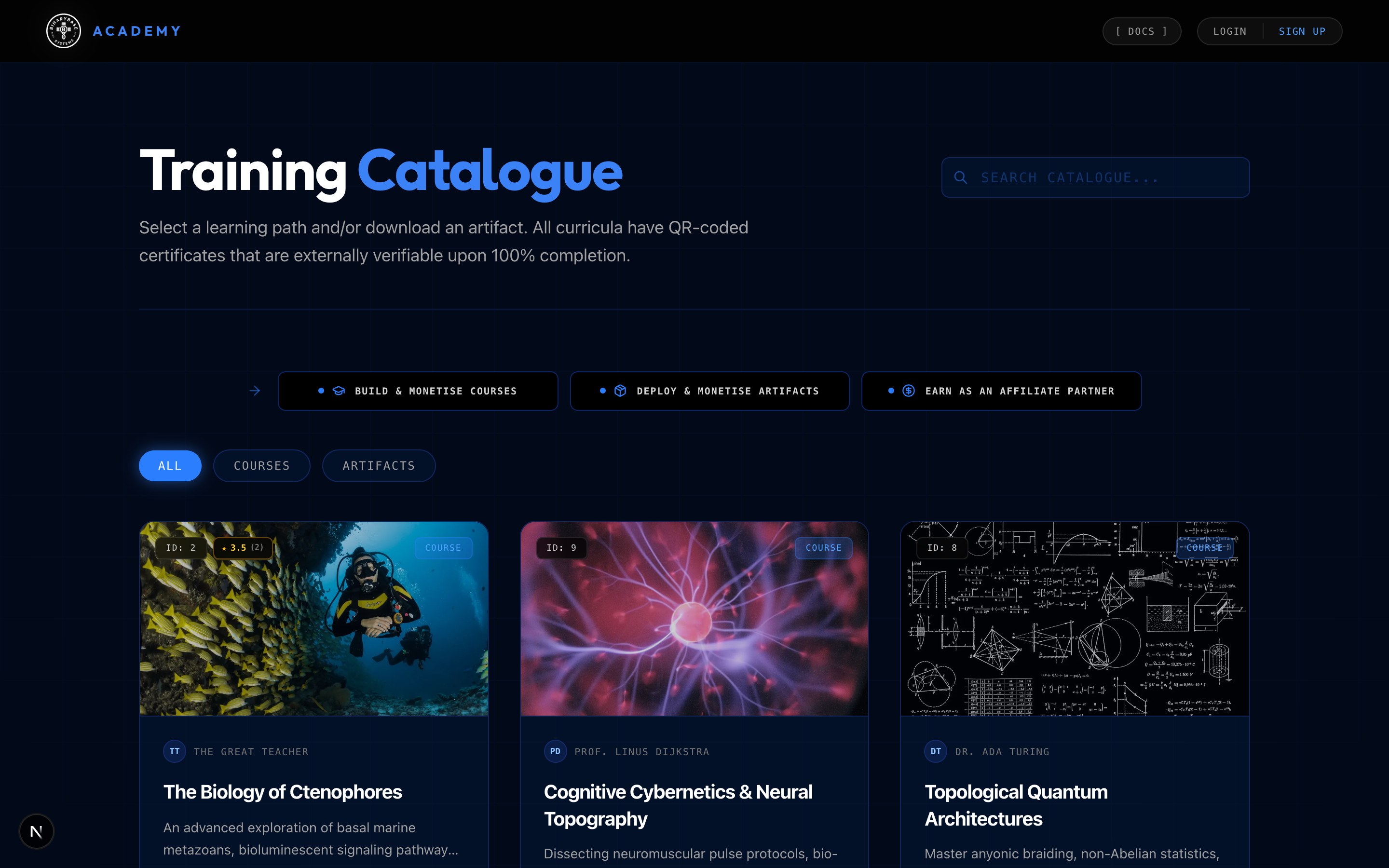
Browse the active academy catalog at https://academy.binarybase.systems to find hands-on system tracks, theoretical frameworks, and engineering disciplines across Rust, Go, Python, C++, and applied computational sciences.
1.2 Course Curriculum & Syllabi
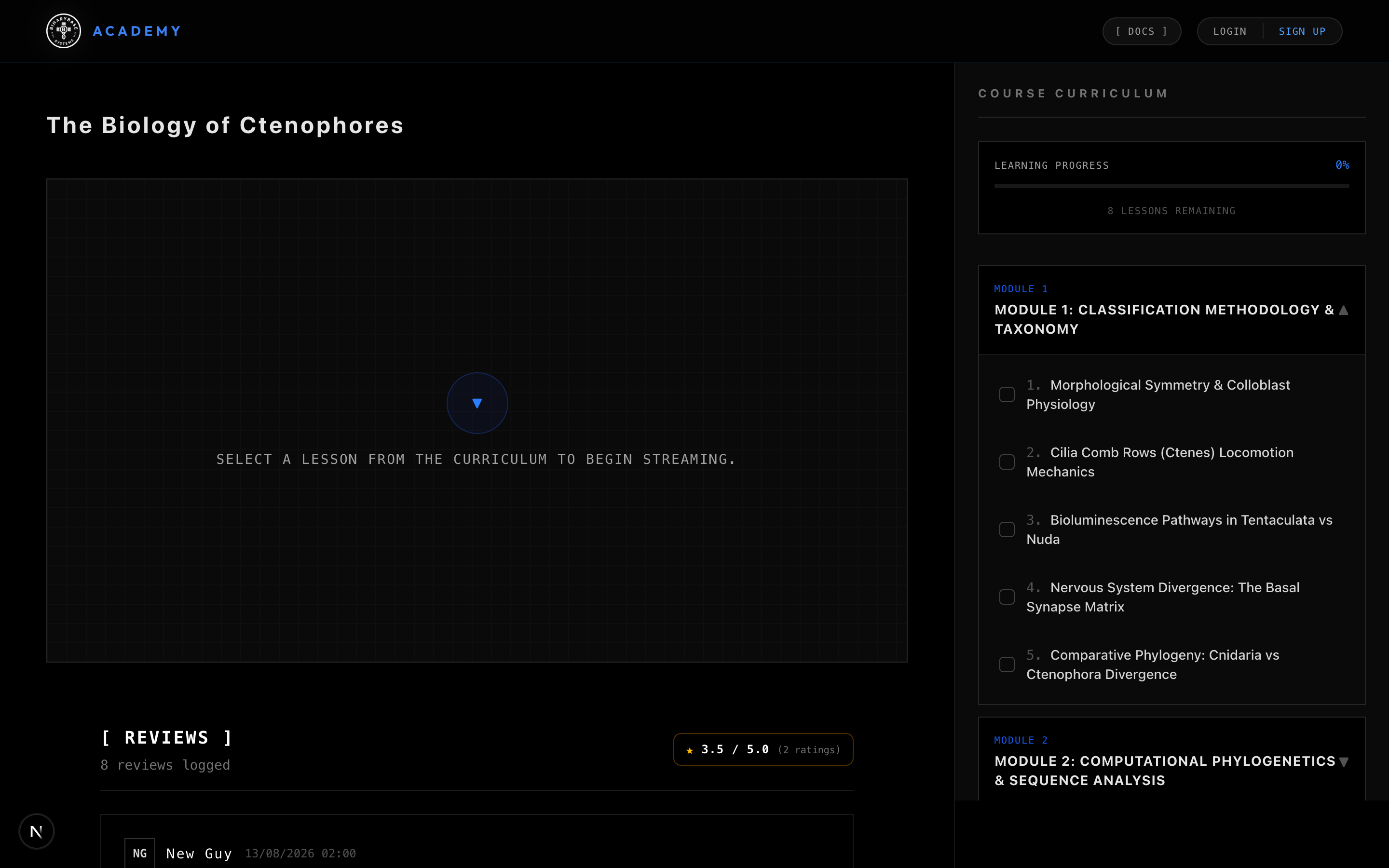
View the detailed module breakdown, lesson structures, student reviews, and overall course ratings before enrolling.
1.3 The Student Command Center (Dashboard)
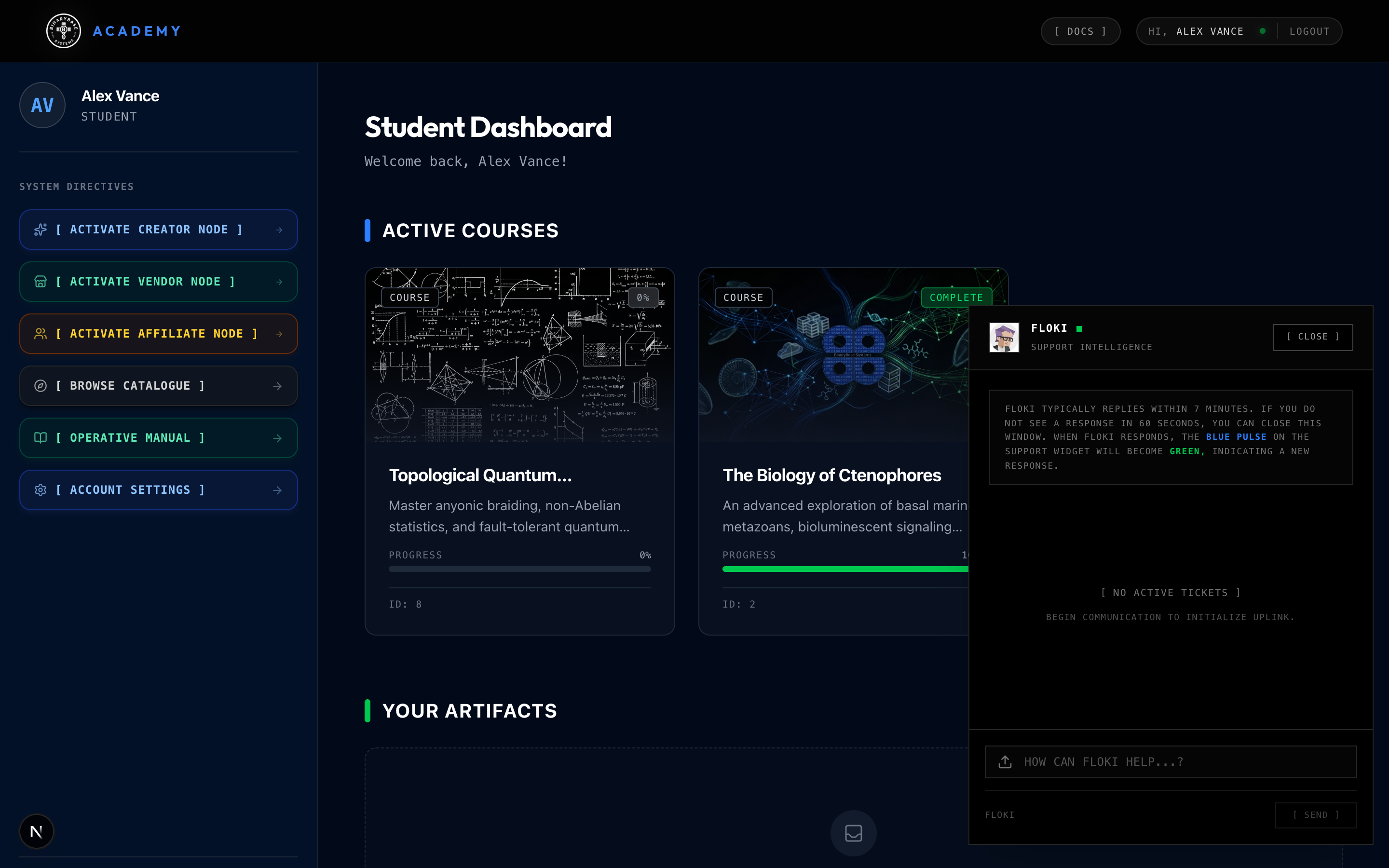
- Enrolled Courses: View active courses and resume lessons with a single click.
- Purchased Artifacts: Download private software packages, architecture blueprints, and templates.
- Certificate Vault: View, download, and share your verified certificates.
2. The Interactive Coding Sandbox
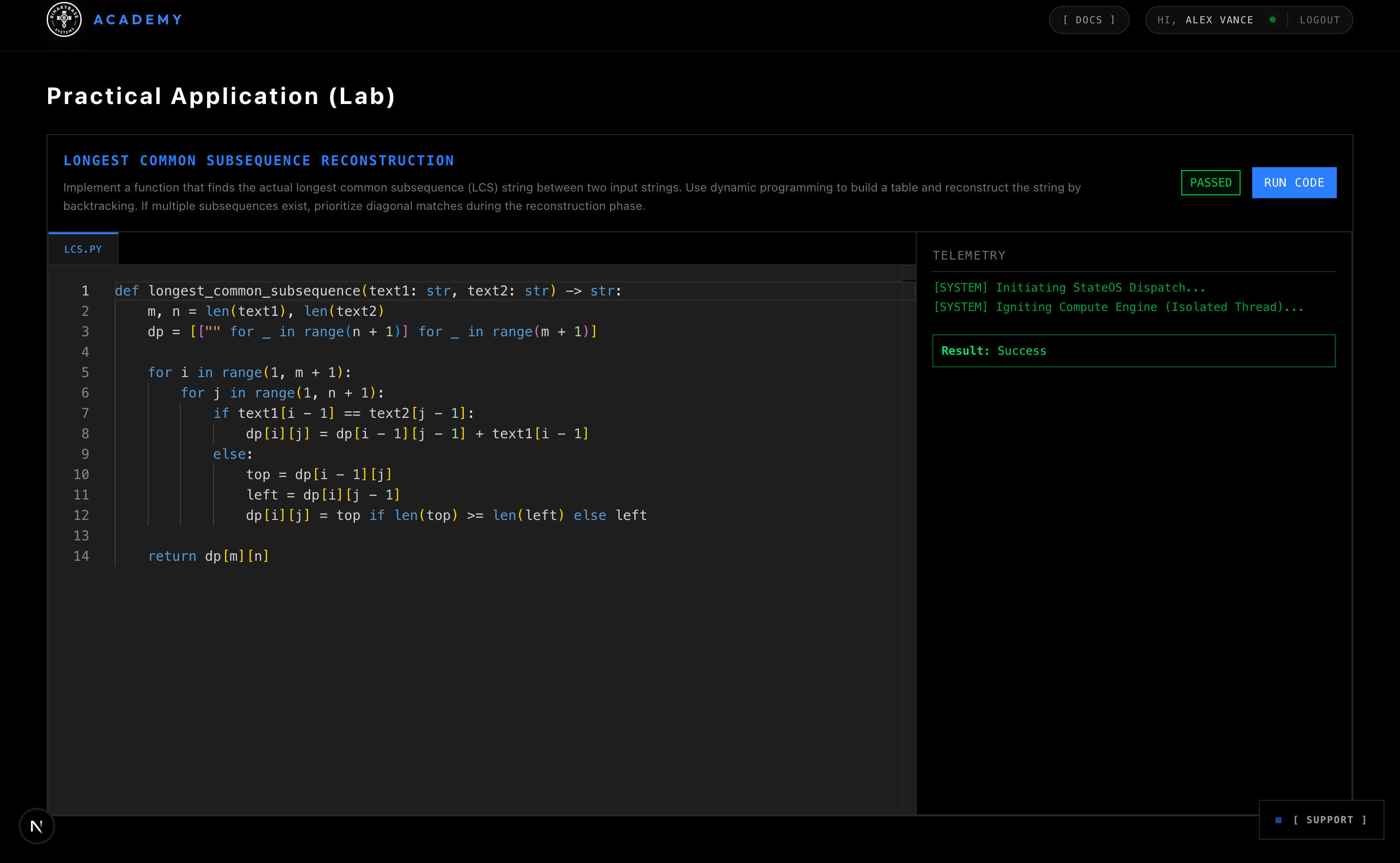
When you open a lesson with an interactive lab, BinaryBase Academy provides a developer environment right in your browser:
2.1 Multi-File Tree (VFS)
- Browse and switch between implementation files, configurations, and test helpers from the top bar of the lab interface.
- Files marked with a lock icon are read-only scaffold references.
2.2 VS Code-Grade Code Editing
- Code editing equipped with syntax highlighting and language-specific indentation rules.
2.3 Running & Validating Code
- Write your implementation to solve the challenge presented by your instructor.
- Click [ RUN CODE ].
- Watch the live terminal telemetry output:
- Stdout / Stderr: Compiler outputs and print statements.
- Test Verdict: Instant verification of whether all unit tests and validation suites passed. If any test fails, you must revise your implementation and re-run your code before advancing to subsequent lessons.
3. Verified Certificates & Credentials
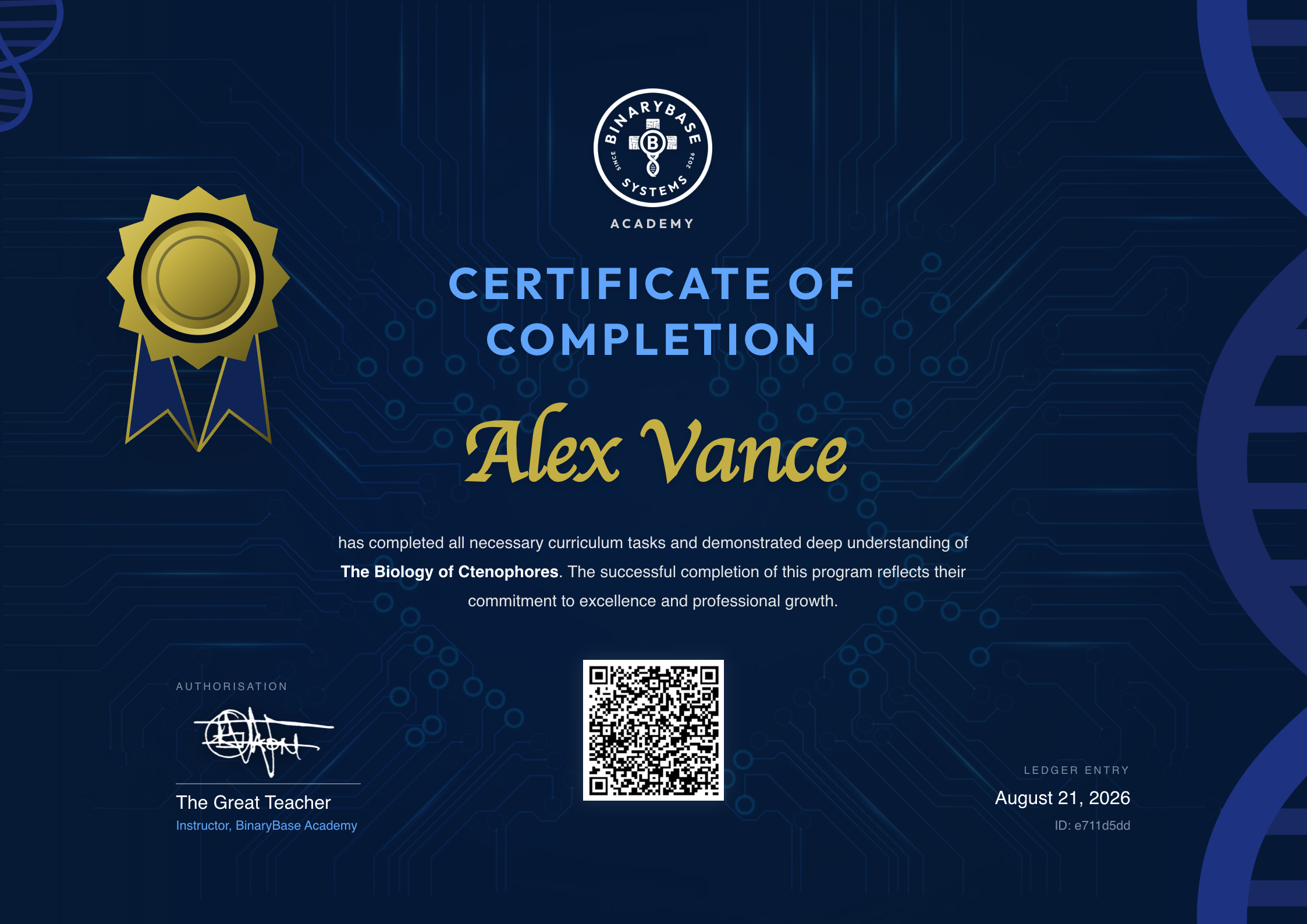
- When you complete 100% of a course's lessons, quizzes, and required coding challenges, the platform automatically mints your Verified Certificate.
- Each certificate includes:
- Your registered student name.
- The instructor's verified hand-drawn signature.
- A unique, cryptographically secure verification ID and public verification URL (e.g. https://academy.binarybase.systems/verify/CERT-12345).
- A high-density, scannable QR code directly on the certificate that immediately resolves to the official verification endpoint for instant proof of mastery when shared on LinkedIn, CVs, and professional resumes.
4. Getting Help: The Real-Time Support Dispatcher
Need assistance or encountering an issue?
- Click the floating [ SUPPORT ] widget in the bottom-right corner of your Student Dashboard.
- Create a dedicated ticket, view past conversation history, and communicate directly with platform instructors and support engineers.