SYSTEM_NEXUS
Affiliate Partner Manual: Monetising Technical Audiences
Operational documentation for Affiliate Partner Manual: Monetising Technical Audiences
BinaryBase Academy Affiliate Partner Manual
Overview
As an Affiliate Partner on BinaryBase Academy, you monetise your technical audience, developer communities, engineering newsletters, and social channels by marketing world-class systems courses and high-fidelity digital software artifacts for automated, competitive revenue shares.
1. Onboarding & Payout Configuration
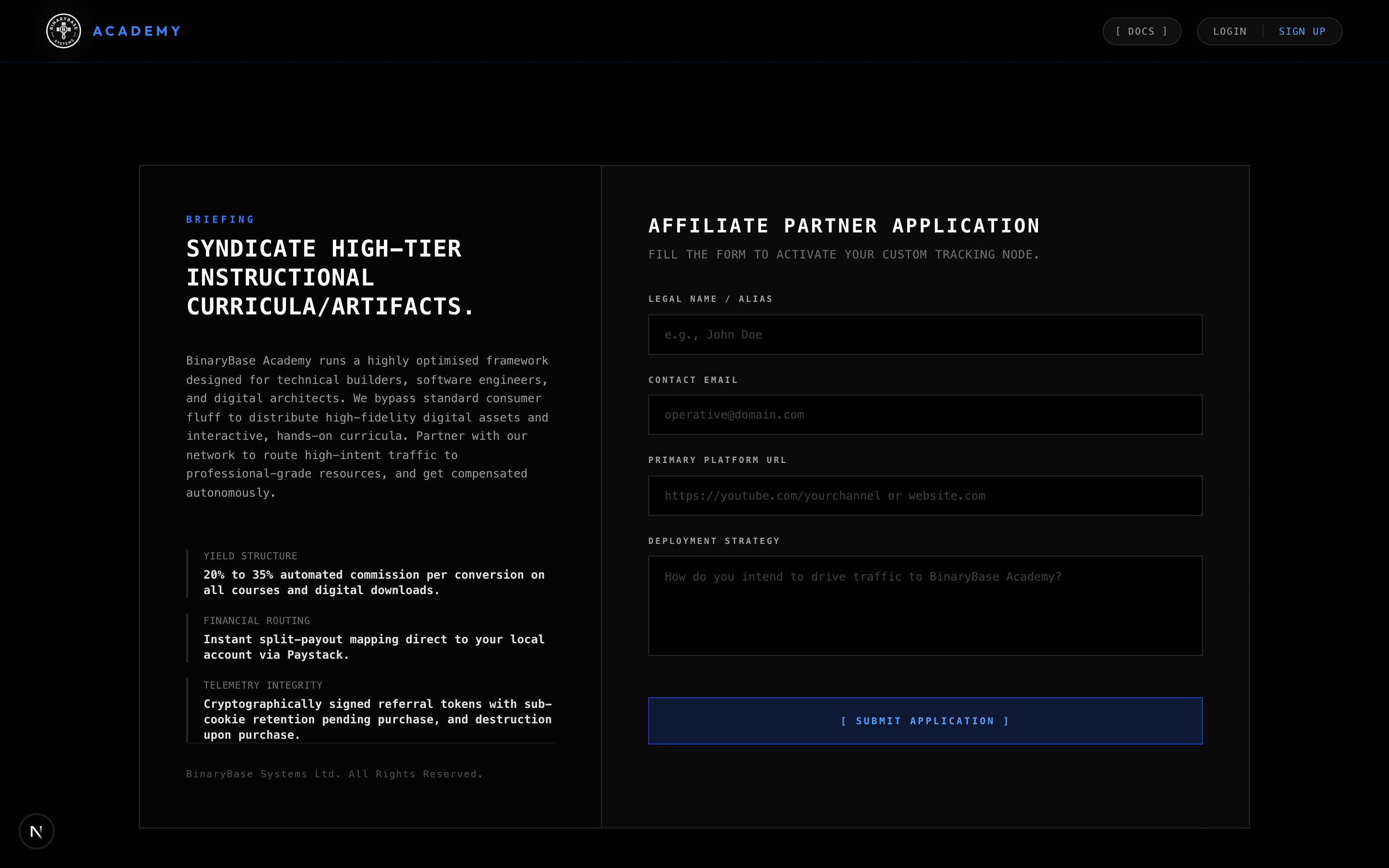
1.1 Partner Application & Activation
- Prospective growth partners visit https://academy.binarybase.systems/partners/apply to submit platform channels and traffic strategy.
- Existing student operatives can instantly upgrade to an affiliate partner profile from their student command center.
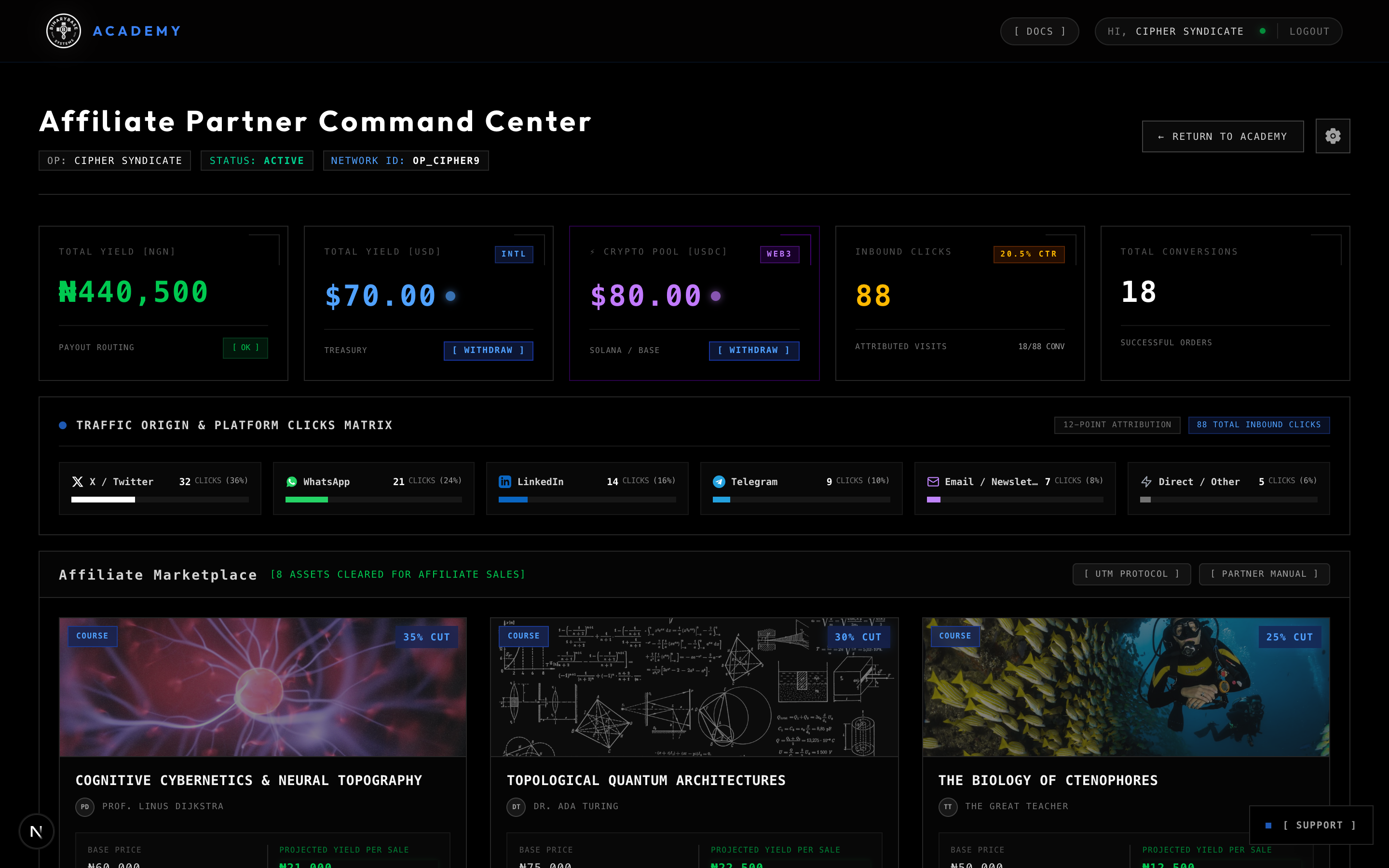
- Upon activation, your account receives full access to the Affiliate Partner Command Center (/partner) with a dedicated Network ID (e.g. OP_CIPHER9).
1.2 Initializing Payout Routing
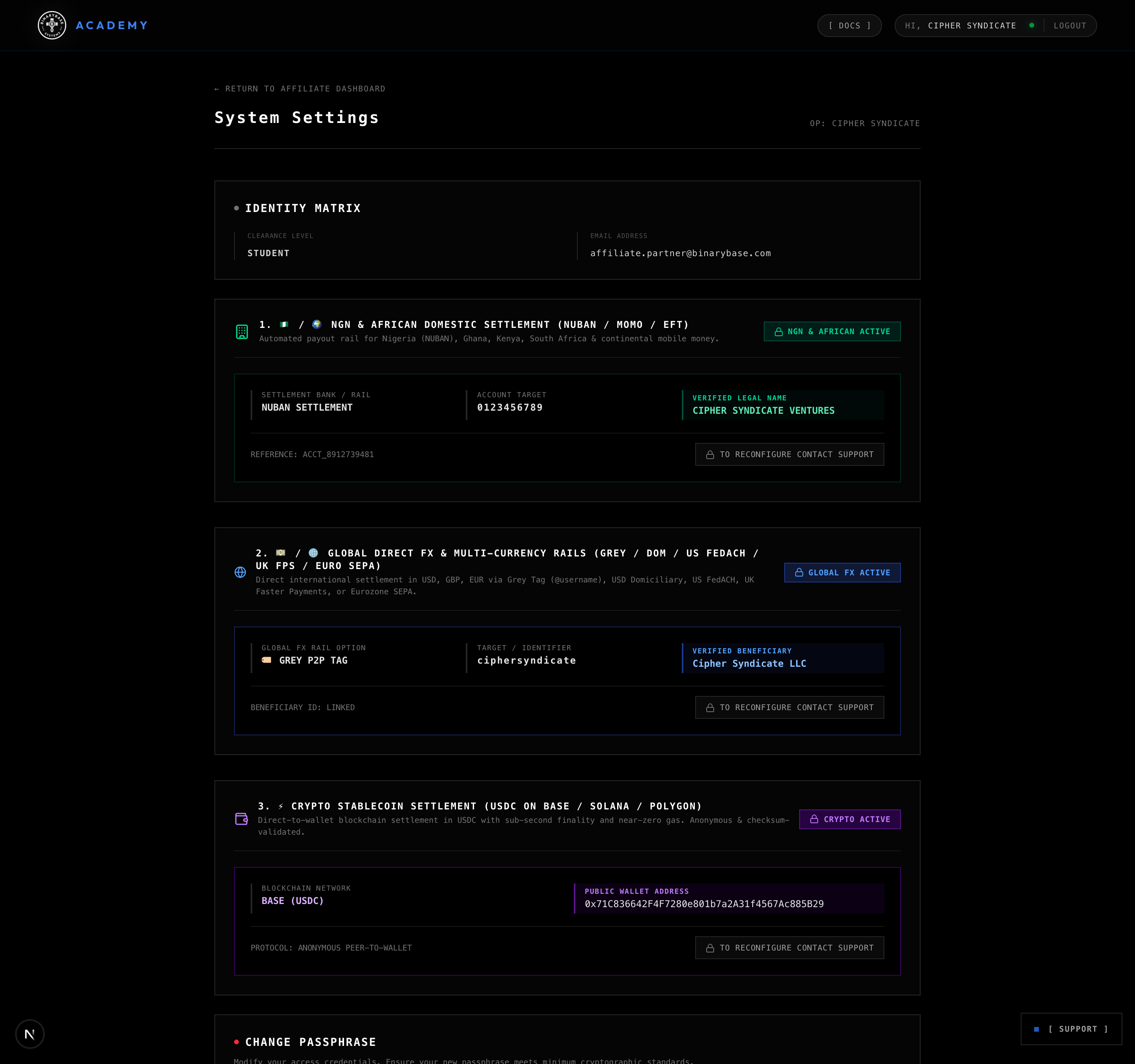
- Open System Settings via the settings gear on your partner dashboard (/partner/settings).
- Under Financial Routing Setup, select your Nigerian settlement bank and provide your 10-digit NUBAN account number.
- The platform automatically resolves and confirms your verified account name via Paystack NIBSS integration to enable autonomous split payouts directly to your local bank.
2. The Affiliate Arsenal & One-Click Referral Links
2.1 Exploring the Affiliate Marketplace
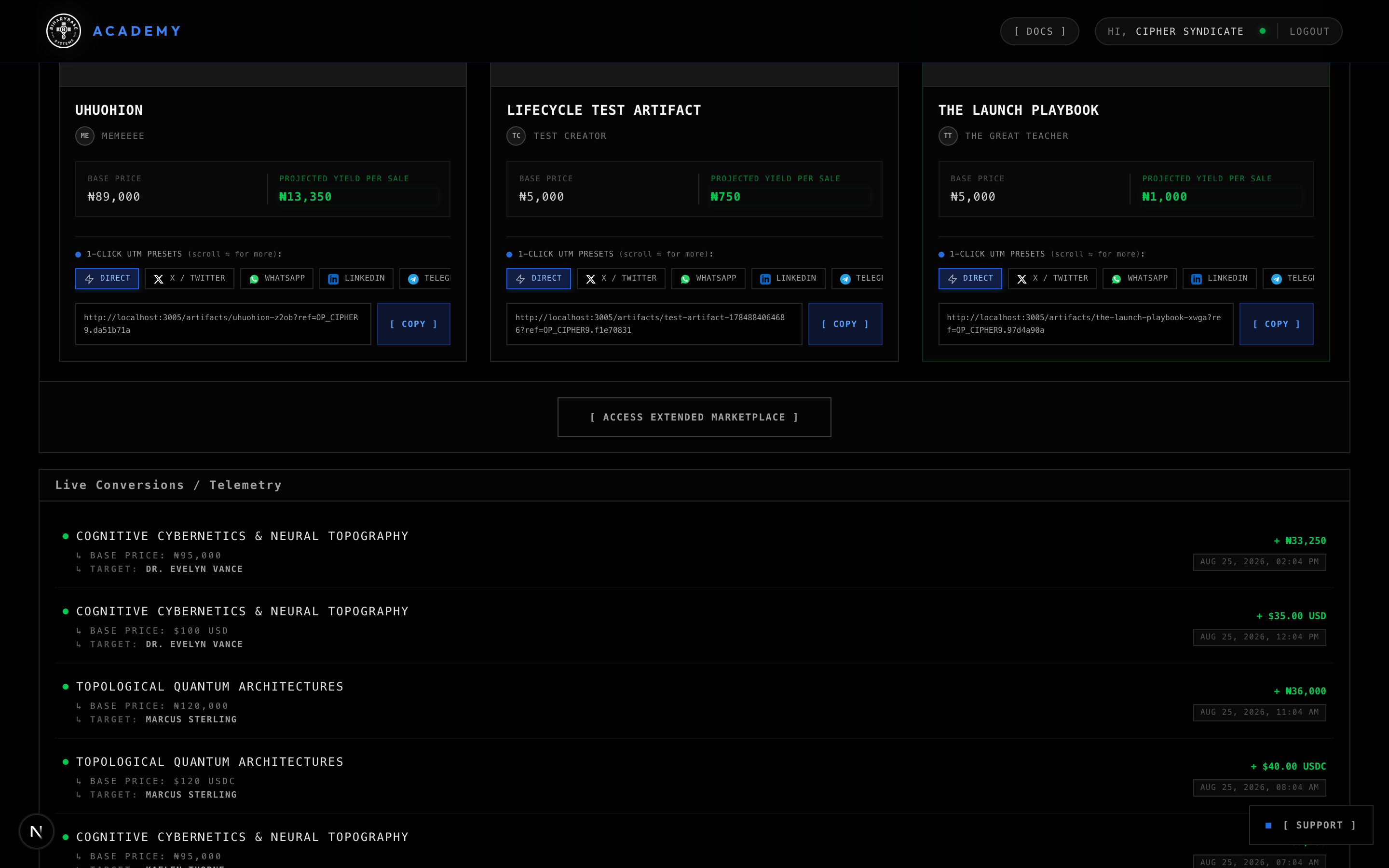
- The Affiliate Marketplace showcases courses and software artifacts cleared for partner distribution.
- Each card displays the product title, creator profile, verified percentage commission cut (e.g. 35% CUT), base price, and projected yield per sale.
2.2 Instant Tracked Link Generation
Every product in your arsenal features a pre-generated, cryptographically signed referral link:
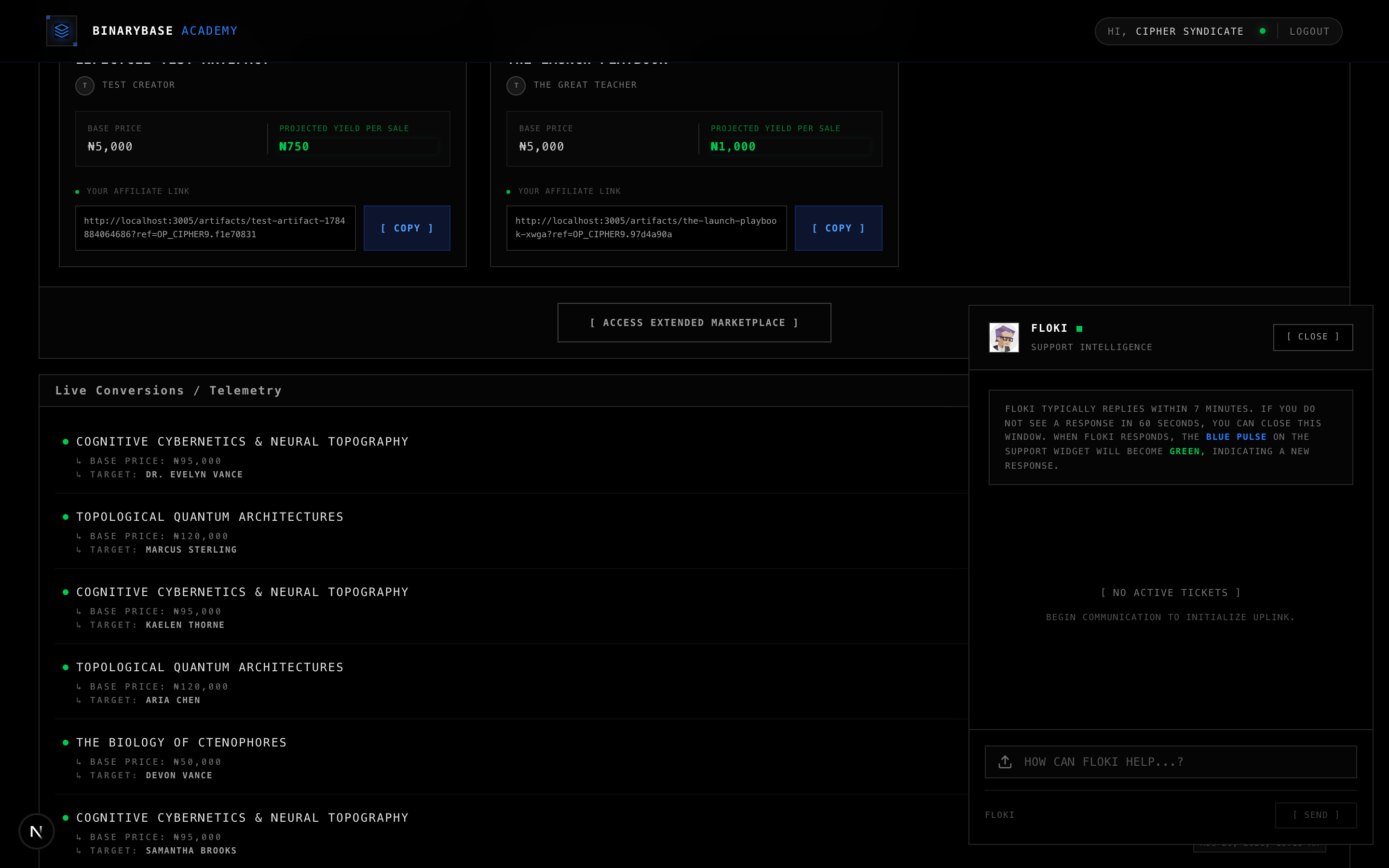
https://academy.binarybase.systems/courses/cognitive-cybernetics?ref=OP_CIPHER9.3dbbd95c- Click [ COPY ] on any asset card to copy your signed tracking link.
- When technical builders click your link and complete checkout, the transaction is cryptographically attributed to your ledger.
3. Financial Telemetry & Yield Intelligence
3.1 Real-Time Revenue Performance
- Total Yield [NGN]: Accrued commission revenue from completed checkouts.
- Total Conversions: Total count of successful student enrollments and digital asset purchases generated through your affiliate links.
- Payout Routing Status: Live indicator confirming whether your settlement bank account is active (OK) or offline.
3.2 Live Conversions Feed
- The live telemetry feed provides granular accounting for every converted sale, showing the asset title, converted student identifier, timestamp, and your exact commission cut.
4. Real-Time Support Dispatcher
Need assistance or have partner inquiries?
- Click the floating [ SUPPORT ] widget in the bottom-right corner of your Partner Dashboard to communicate directly with platform engineers and administrator support.